Subtotal $0.00

 Are you ready to help them? Let’s become a volunteers...
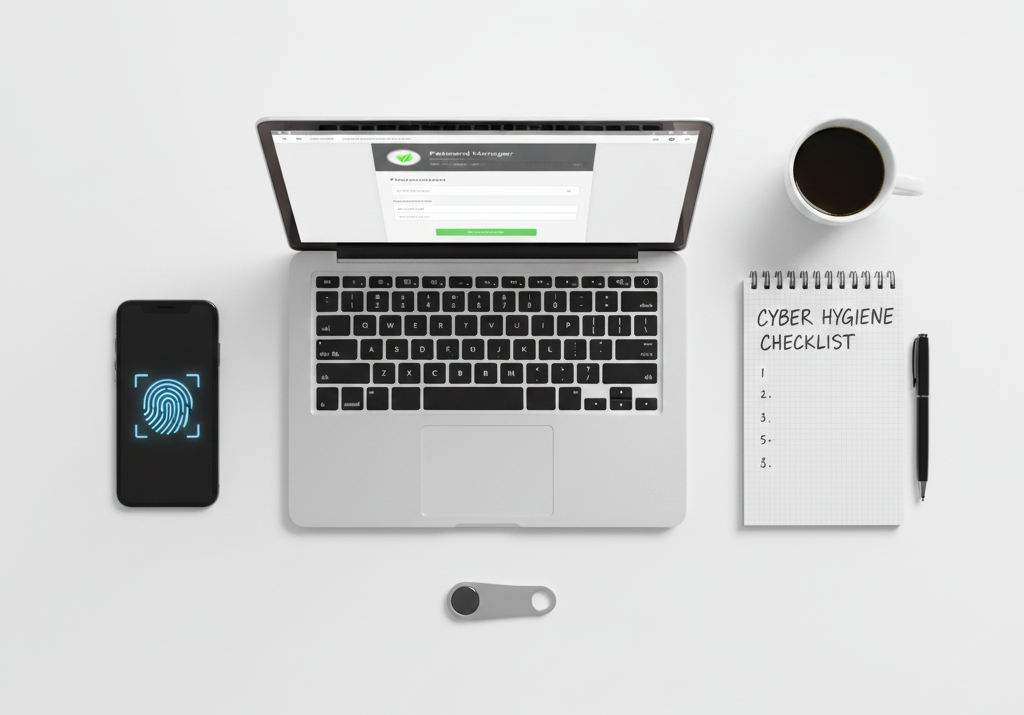
In today’s interconnected world, maintaining good cyber hygiene is as essential as washing your hands or brushing your teeth. Just as we follow daily routines to keep ourselves healthy, we need similar habits to protect our digital lives from cyber threats, data breaches, and online attacks.
What is Cyber Hygiene?
Cyber hygiene refers to the practices and steps that computer and device users take to maintain system health and improve online security. Think of it as a set of routine measures that help you stay safe while browsing, shopping, banking, or simply communicating online.
Why Does Cyber Hygiene Matter?
Every day, millions of cyberattacks target individuals and organizations worldwide. From stolen passwords to identity theft, the consequences of poor digital habits can be devastating. The good news? Most cyber threats can be prevented with simple, consistent practices that anyone can follow.
Let’s explore the top 10 cyber hygiene practices that should become part of your daily digital routine.
1. Use Strong, Unique Passwords for Every Account
The Problem: Many people use the same password across multiple websites. When one site gets hacked, all your accounts become vulnerable.
The Solution: Create strong passwords that include:
- At least 12 characters
- A mix of uppercase and lowercase letters
- Numbers and special symbols
- No personal information like birthdays or names
Consider using a password manager to generate and store complex passwords securely. These tools remember your passwords so you don’t have to, making it easier to use unique credentials for each account.
2. Enable Two-Factor Authentication (2FA) Everywhere
Two-factor authentication adds an extra layer of security beyond just your password. Even if someone steals your password, they won’t be able to access your account without the second verification step.
How it works: After entering your password, you’ll need to provide a second piece of information, such as:
- A code sent to your phone via text message
- A code from an authenticator app
- A biometric scan like your fingerprint
Enable 2FA on all accounts that offer it, especially email, banking, and social media platforms.
3. Keep All Software and Devices Updated
Software updates aren’t just about new features—they often include critical security patches that fix vulnerabilities hackers could exploit.
Best practices:
- Turn on automatic updates for your operating system
- Update apps regularly on your smartphone and computer
- Don’t ignore update notifications
- Replace devices that no longer receive security updates
Outdated software is like leaving your front door unlocked. Cybercriminals actively search for unpatched systems to attack.
4. Be Cautious with Emails and Links
Phishing attacks remain one of the most common ways cybercriminals steal information. These deceptive emails trick you into clicking malicious links or sharing sensitive data.
Warning signs of phishing:
- Urgent language demanding immediate action
- Requests for passwords or financial information
- Suspicious sender addresses that look almost legitimate
- Poor grammar or spelling errors
- Unexpected attachments
Before clicking any link, hover over it to see the actual destination. When in doubt, visit the website directly by typing the address into your browser rather than clicking email links.
5. Use Secure Internet Connections
Public Wi-Fi networks at cafes, airports, and hotels are convenient but often unsecured. Anyone on the same network could potentially intercept your data.
Safety tips for public Wi-Fi:
- Avoid accessing sensitive accounts like banking or email
- Use a Virtual Private Network (VPN) to encrypt your connection
- Turn off automatic Wi-Fi connection on your devices
- Verify the network name with staff before connecting
At home, secure your Wi-Fi router by changing the default password and using WPA3 encryption if available.
6. Regularly Back Up Your Important Data
Ransomware attacks can lock you out of your own files, demanding payment for access. Hardware failures can also cause permanent data loss. Regular backups ensure you never lose precious photos, documents, or work files.
Effective backup strategy:
- Follow the 3-2-1 rule: Keep 3 copies of your data, on 2 different storage types, with 1 copy offsite
- Use both cloud storage and external hard drives
- Automate backups so you don’t forget
- Test your backups periodically to ensure they work
7. Review Privacy Settings on Social Media
Social media platforms collect vast amounts of personal information. Cybercriminals use this data to craft convincing phishing attacks or even steal your identity.
Protect your privacy:
- Limit who can see your posts and personal information
- Be selective about friend requests from unknown people
- Avoid posting sensitive information like your full address or vacation dates
- Review app permissions and revoke unnecessary access
- Think before you share—once something is online, it’s difficult to remove completely
8. Install and Maintain Antivirus Software
Quality antivirus software acts as your first line of defense against malware, viruses, and other malicious programs.
Essential features to look for:
- Real-time scanning of files and downloads
- Regular automatic updates
- Web protection to block dangerous websites
- Email scanning for malicious attachments
Both free and paid options exist, but paid versions typically offer more comprehensive protection. Keep your antivirus software active and updated at all times.
9. Be Smart About App Downloads and Permissions
Every app you install represents a potential security risk if it comes from an untrusted source or requests excessive permissions.
Safe downloading habits:
- Only download apps from official stores like Google Play or Apple App Store
- Read reviews and check developer reputation before installing
- Review requested permissions—does a flashlight app really need access to your contacts?
- Uninstall apps you no longer use
- Keep your apps updated to the latest versions
10. Monitor Your Digital Footprint Regularly
Stay vigilant about your online presence and financial accounts. Early detection of suspicious activity can prevent major problems.
Regular monitoring checklist:
- Check bank and credit card statements for unauthorized transactions
- Review your credit report annually for signs of identity theft
- Set up alerts for unusual account activity
- Google yourself occasionally to see what information is publicly available
- Close old accounts you no longer use
Creating Your Cyber Hygiene Routine
Good cyber hygiene doesn’t require hours of effort. By incorporating these practices into your daily digital life, you’ll build strong defenses against most cyber threats.
Start today by:
- Choosing one practice to implement immediately
- Setting calendar reminders for monthly security checks
- Educating family members about online safety
- Staying informed about new threats and protection methods
The Bottom Line
Cyber hygiene is not a one-time task but an ongoing commitment to protecting yourself in the digital world. While no system is 100% foolproof, following these ten practices significantly reduces your risk of becoming a cybercrime victim.
Remember, cybersecurity is everyone’s responsibility. By taking these simple steps, you’re not only protecting yourself but also contributing to a safer internet for everyone. Make cyber hygiene as routine as locking your door when you leave home—it’s one of the smartest habits you can develop in our digital age. Stay safe, stay informed, and make cybersecurity a natural part of your daily routine. Your future self will thank you for the protection you’ve put in place today.
